
Accessibility & ergonomics
Accessible Lecturer Stations: From Compliance Dimensions to Everyday Use
A research-informed guide to reach, clearances, adjustability and AV layout for accessible lecturer stations and teaching spaces.
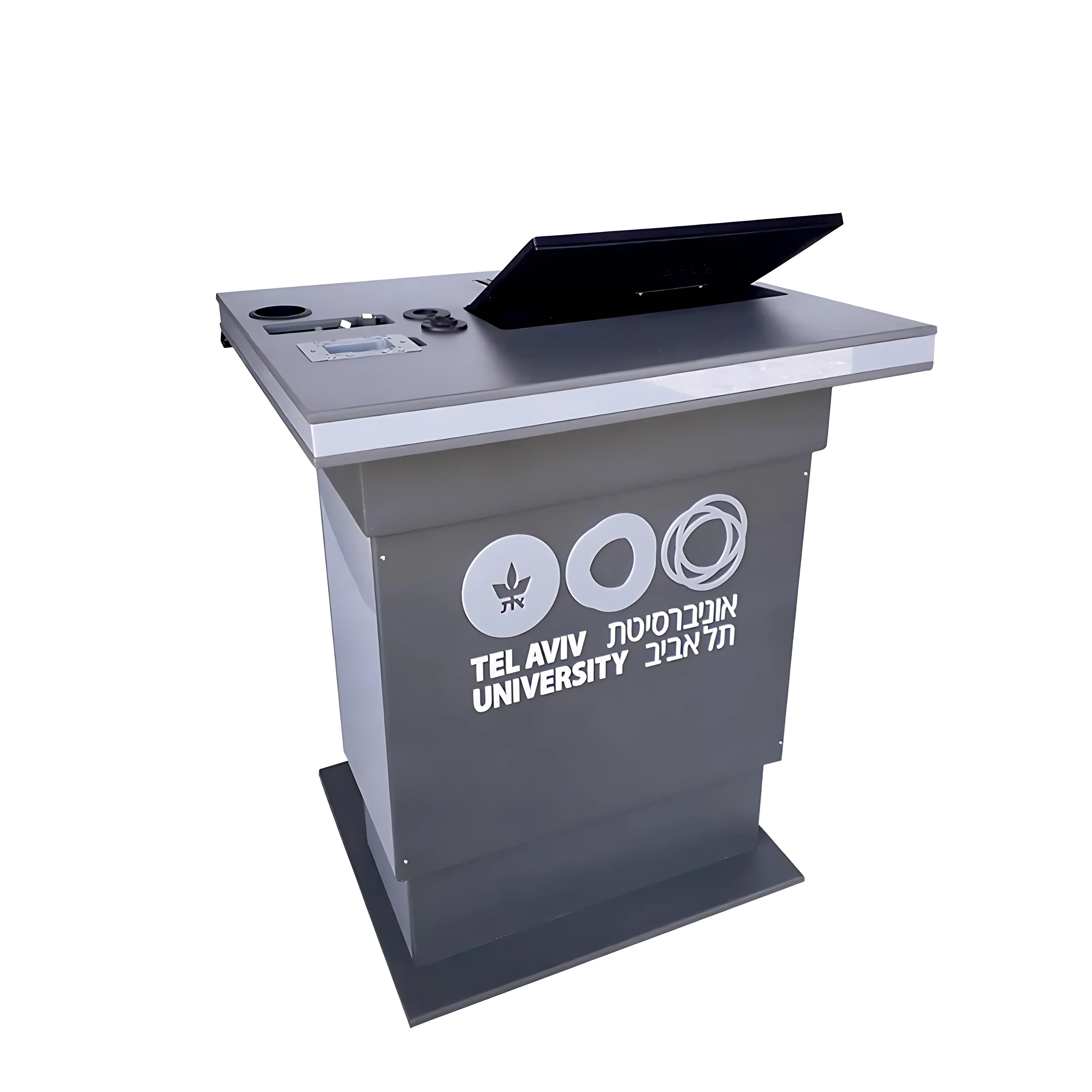
An accessible lecturer station must provide a usable approach, reachable controls and a work surface that supports different bodies and teaching styles. The strongest result comes from testing those dimensions with the actual room, equipment and users—not from treating accessibility as a single height measurement.
Accessibility begins with the approach to the station
A station can have a low worktop and still be difficult to use if the base blocks a wheelchair approach or the circulation path is too tight. Accessible design starts with the floor area in front of the station, the direction of approach and the clear space below the work surface.
The 2010 ADA Standards use 28–34 inches (710–865 mm) as the work-surface height range for covered dining and work surfaces, together with clear floor space and knee-and-toe clearance. These figures are a useful reference for international projects, but the governing local standard and the project accessibility consultant remain decisive.
Reach is a system, not a single number
The user must be able to reach the microphone, keyboard, touch panel, power controls and connection points without leaning across equipment. Obstructions change the usable reach range, so a control can be at the correct height and still be too far back.
The ADA reference range for an unobstructed adult forward reach is 15–48 inches (380–1220 mm) above the floor. When a surface creates an obstruction, the permitted high reach changes with its depth. That is why the plan view of the console matters as much as its elevation.
- Place frequent controls in the closest, clearest reach zone.
- Keep cable hatches and service access separate from the user’s operating area.
- Check the location of loose devices after the full AV package is installed.
Adjustability should support movement without adding complexity
ISO 9241-5 emphasizes fit, postural change, ease of adjustment and adaptable workstation layouts. For a lecturer station, this can mean adjustable work height, movable display arms or carefully chosen fixed dimensions that fit the intended population.
Research on sit-stand workstations suggests that changing posture may reduce low-back discomfort, but the evidence does not define one ideal configuration for every user. Adjustment controls should therefore be easy to understand, safe around moving parts and positioned where the user can operate them independently.
Prototype the complete teaching workflow
A useful review does more than check a drawing. It walks through arriving at the station, connecting a laptop, reading the display, operating room controls, using the microphone, storing personal items and leaving the work area.
A full-scale mock-up or an early sample exposes conflicts between reach, screen angle, cable bends and sightlines before manufacturing. Representative users should participate wherever possible, and the final installation should be checked again after AV commissioning.
Research and standards consulted
This article is an engineering synthesis of the linked standards and peer-reviewed research. It is not a certification or a substitute for project-specific accessibility advice.
- 1.2010 ADA Standards for Accessible Design — Sections 308 and 902U.S. Department of Justice
- 2.ISO 9241-5:2024 — Workstation layout and postural requirementsInternational Organization for Standardization
- 3.Sit-stand workstations and impact on low back discomfort: a systematic review and meta-analysisErgonomics, 2018